Prayminder 1.5
A rebuilt Android app, and new ways to sort, act on and open your prayers on both phones.
Prayminder 1.5 is the first release where iPhone and Android move together. On Android it is a new app, built from the ground up, that catches up with everything the iPhone app does. On both phones it adds sorting, press-and-hold menus, a choice of which tab the app opens on, and announcements.
New on iPhone and Android
Sort your prayers
Your list no longer has to stay in the order you added things. Open the menu at the top of the Prayers tab and choose Sort prayers to order everything Alphabetical, Newest first or Oldest first, or keep your own Custom order. Each group can have its own order too, from Sort group in the group's menu.
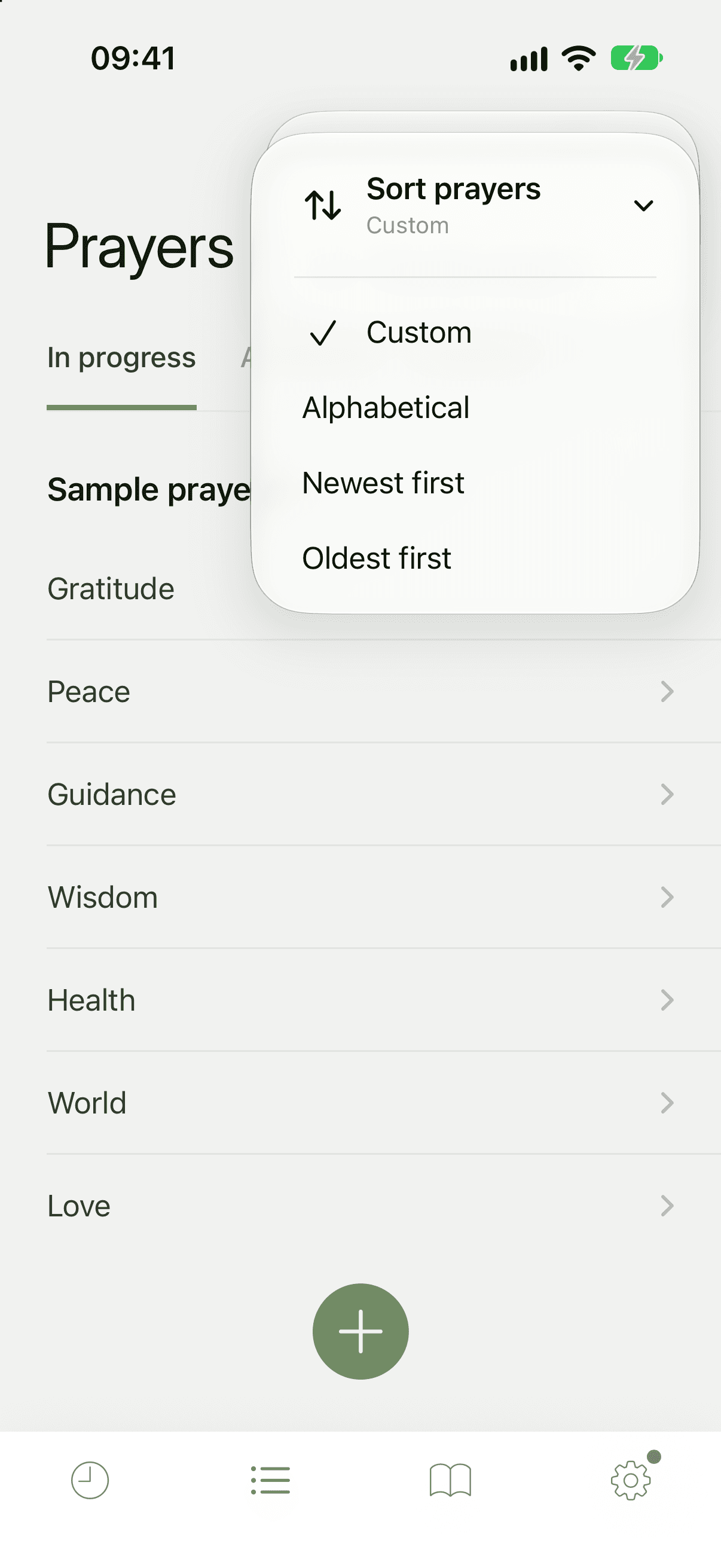
How it works: Sort your prayers.
Press and hold for quick actions
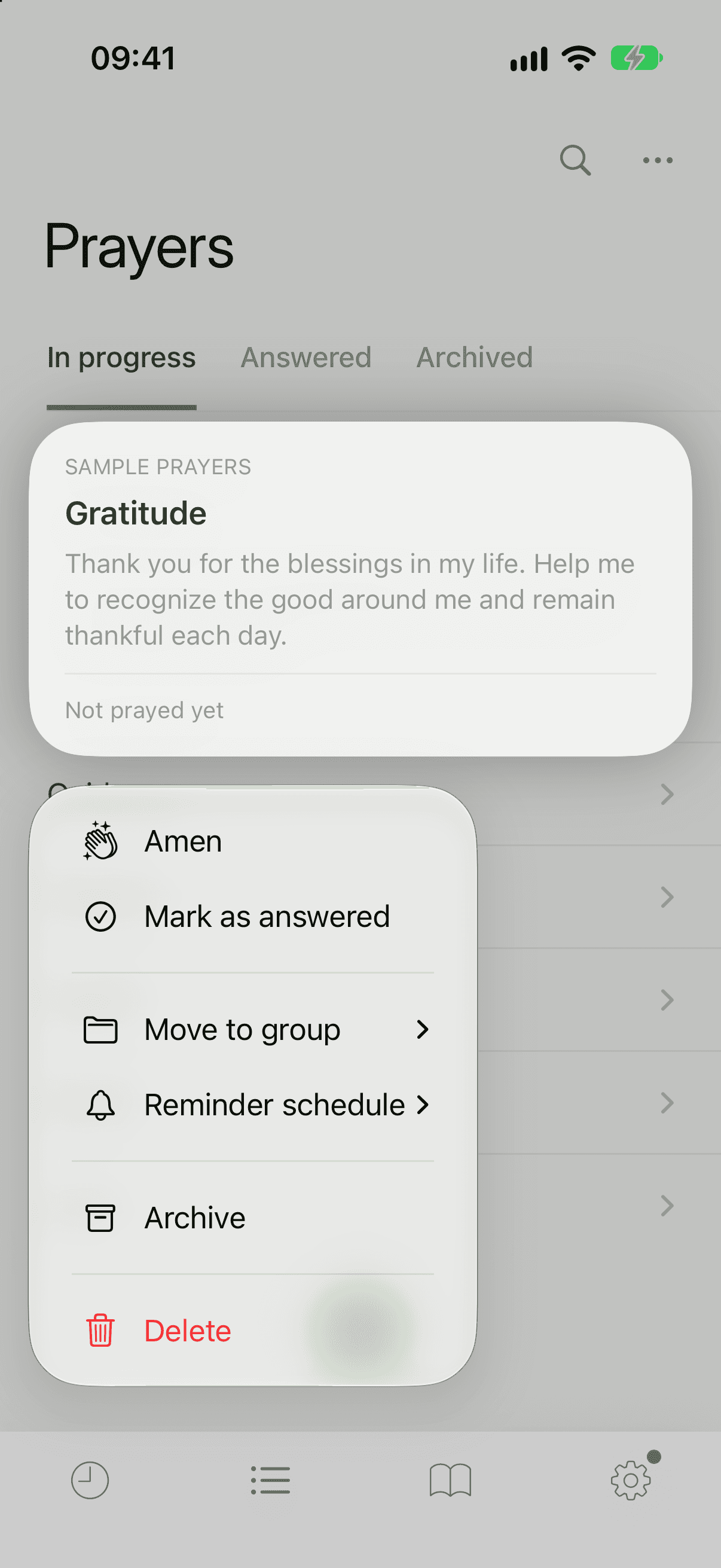
Press and hold a prayer in your list to mark it as prayed or answered, move it to another group, change its Reminder schedule, archive it or delete it, without opening it first. Reminders in the Reminders tab respond the same way.
Verses work the same way. Press and hold the verse of the day to save it to a prayer, read its chapter, change its version, copy it or hide it. A verse you have saved onto a prayer has its own menu too.
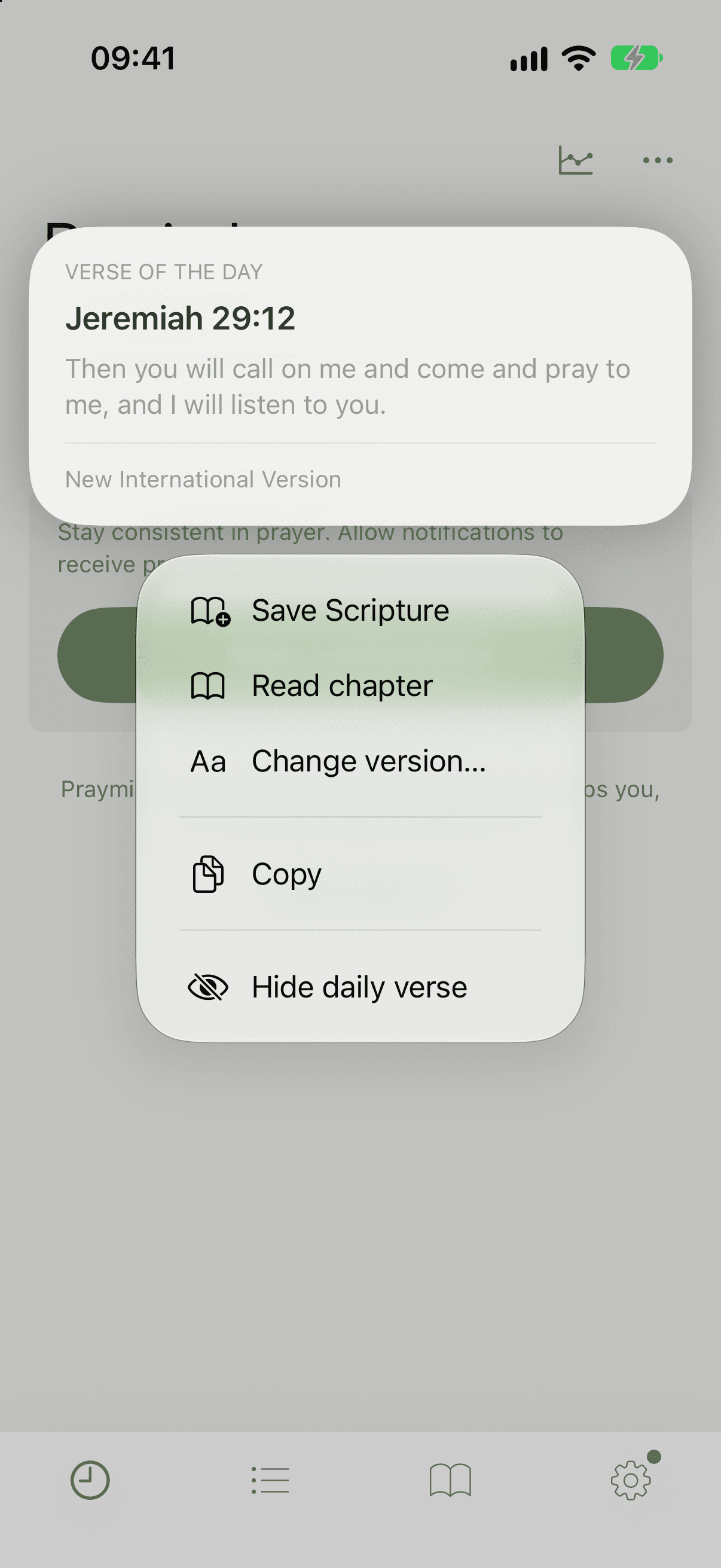
More: Prayers and lists and Press and hold a verse.
Choose which tab the app opens on
If you would rather start on your prayers than on your reminders, go to the Settings tab, tap App Preferences, and under Home view choose Prayers or Reminders.
Announcements
Now and then we have news worth hearing, like a new feature or a change to how reminders work. It can now appear as a card at the top of the app, or once as a short note when you open it. Tap Not now or Got it to put it away. Everything we publish stays in News & Announcements in the Settings tab.
New on Android
The Android app has been rebuilt from scratch. It looks and works like the iPhone app, and it brings a lot that Android has not had before:
- A Bible reader. The new Read tab opens the Bible in many versions, and you can attach a verse to any prayer with Add Scripture. See Bible and verses.
- Specific reminder times. Besides the daily rotation, any prayer can have its own reminders with Set specific times, daily, weekly or once. See Reminders.
- Prayer stats. See how often you have prayed this month, this year and overall, and your current streak. See Stats.
- A tidier Reminders tab. Clear the reminders you have prayed, or show today only. See Tidy the Reminders tab.
- Spreadsheet export. Back up your prayers as a CSV file you can open in a spreadsheet, as well as the usual backup file. See Back up your prayers.
- Labels on the tabs, and help and contact options in Settings.
When you update
Your prayers, notes, groups, their order and your reminder settings all come across on their own the first time you open the new version.
Improvements on iPhone
- Verses show correctly in more places. Special characters in some Bible versions no longer appear as codes, and a verse saved onto a prayer keeps its formatting.
- If Prayminder cannot set up reminders on our side, Reminders Settings now says Not delivering instead of looking as if all is well.